
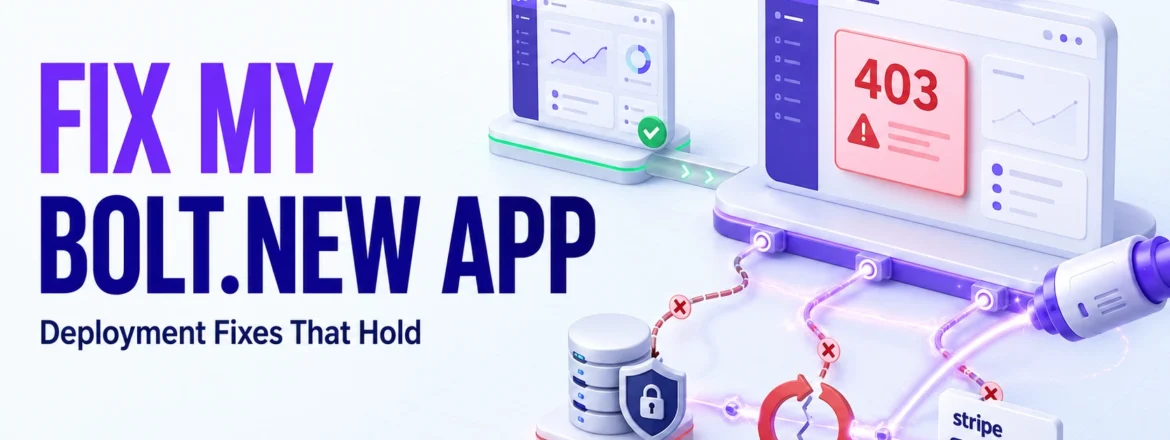
Your Bolt.new app worked in preview. Then it broke after deployment a 403 error, a login that redirects to nowhere, a Stripe charge that fails silently in production. This isn’t a sign you built it wrong.
It’s a sign your preview environment and your production environment stopped matching, and Bolt.new didn’t flag it before it cost you. This is one of the most common repairs our team at Xtreeme Tech handle. Most of the time, it doesn’t require a rebuild.
Why Bolt.new Apps Break on Deployment, Not in the Builder
Almost every Bolt.new failure traces back to one root cause: the app was configured for the preview URL, and that configuration was never updated for the live domain.
Bolt’s preview environment runs on different rules, different auth redirects, different CORS handling, different assumptions about which keys are safe client-side. An app can look finished and still be one settings mismatch away from breaking in production.
Four failure patterns show up most, almost always through Supabase, which Bolt configures automatically:
- Wrong-column RLS policies. Bolt writes a security policy against owner_id when the table actually uses user_id. It compiles clean, passes every preview test, and then blocks legitimate queries in production with a 403.
- Testing with the wrong key. service_role bypasses RLS entirely. If it was used during development instead of anon, security rules were never actually tested until production switches keys and enforcement kicks in for the first time.
- RLS never enabled. Bolt can generate a full table migration with Row-Level Security off. Supabase flags this with a yellow dashboard warning that’s easy to miss. Until it’s fixed, any authenticated user can read data that isn’t theirs.
- Edge Function CORS and missing secrets. Functions calling Stripe or another API work in preview and fail in production because a secret or CORS header never made it to the live environment.
None of these are exotic bugs. They’re the predictable output of a tool optimized for “working demo,” meeting a production environment with different rules.
How to Fix Each Error
Wrong-column RLS policy:
- Supabase → Table Editor → select the table → Policies tab.
- Check the column the policy references (owner_id) against what the app actually queries (user_id). This mismatch is the single most common cause of an unexplained 403.
- Correct the policy, or drop and rebuild it if the mismatch runs deep.
- Test with a real authenticated session; not Supabase’s SQL editor, which bypasses RLS by default and can make a broken policy look fine.
service_role vs. anon key:
- Search the codebase for service_role. It should never appear client-side.
- Replace it with anon anywhere it runs in the browser.
- Re-test every core flow. Expect some breakage that’s the RLS gap surfacing for the first time, not a new bug.
RLS never enabled:
- Check the Table Editor for the yellow “RLS disabled” flag.
- Enable RLS, then write explicit SELECT/INSERT/UPDATE/DELETE policies per table. RLS with no policies blocks everything by default safer than the alternative, but still incomplete.
- If the app has been live with RLS off, treat it as a potential data exposure: rotate the anon key and assume any client-reachable data may have been accessed.
Edge Function CORS or missing secrets:
- Check the Edge Function logs CORS rejections and missing-secret errors look similar from the frontend but are fixed differently.
- For CORS: confirm the function returns correct headers for the production domain, not just the preview URL.
- For secrets: confirm every required key (Stripe secret, webhook signing secret) is actually set in Supabase’s Edge Function environment; a .env entry locally doesn’t carry over automatically.
Once correctly diagnosed, each fix runs 20 minutes to a few hours. The time cost is in diagnosis, not execution; a 403, a silent failure, and a login loop can look identical from the outside.
Real Story: Fixing a Broken AI-Built App
This isn’t Bolt.new-exclusive. The same diagnostic process applies across AI coding tools.
A developer in Germany had built an app using Jules.Google that was, in his words, too buggy to actually use. After the audit and fix, he described the result simply: it was bug-free and usable and told other builders relying on AI coding tools to use this service if they hit the same wall.
ioannes_0804, Fiverr client (Germany)
Same process every time: diagnose the specific, fixable issues blocking usability, then repair them. Jules.Google, Bolt.new, Lovable, Replit the failure category is usually the same. It worked in testing. Testing wasn’t production.
Bolt.new Fix vs. Hiring a Developer: Cost & Time
Three paths when your app breaks: fix it yourself, hire a general freelance developer, or bring in someone who specializes in AI-builder output.
| DIY | General freelance developer | AI app rescue specialist | |
| Diagnosis time | Unknown debugging code you may not have written | 1–3 days (unfamiliar codebase, no AI-builder context) | Hours; failure patterns are known in advance |
| Fix time | Highly variable, often the longest path | 20-40+ hours for a full production-readiness pass | Single-issue fixes run a few hours; broader repairs scale from there |
| Risk of new breakage | High without stack familiarity | Moderate; Bolt’s specific patterns aren’t always obvious | Lower; targets a known failure signature, not a rewrite |
| Cost | Your time | Freelance rates, plus billed ramp-up time | Scoped to the actual issue, not a rebuild |
Row two is the one that matters. A developer unfamiliar with AI-builder output spends real, billable time learning how Bolt structures Supabase integrations before touching the actual bug. Someone who’s seen the pattern before skips straight to the fix.
This isn’t an argument against Bolt.new. Most failures are known, fixable configuration issues. The comparison is about where the time goes, diagnosis or execution.
How Long Does a Bolt.new Fix Take?
Depends on which pattern is in play, and how many are stacked.
- Single RLS mismatch or missing secretfastest category, often same-day.
- RLS built from scratch across multiple tables a few days; each table needs its own tested policy set.
- Multiple failures at once (RLS + CORS + redirects, which commonly cluster together)closer to a week. Comparable to a multi-issue repair, Xtreeme Tech delivered over 6 weeks.
- Full pre-launch security and readiness review is longer still, especially if it surfaces issues beyond the original report.
Diagnosis always comes before an estimate. A 403 and a login loop look equally urgent from the outside; the root causes rarely match.
FAQ
Why does my Bolt.new app work in preview but break after deployment?
Preview and production run different auth redirects, environment variables, and CORS enforcement. Settings configured for the preview URL don’t automatically carry over.
Why am I getting a 403 on Supabase even though I’m logged in?
Usually an RLS policy checks the wrong column owner_id instead of user_id. The policy isn’t broken; it’s checking the wrong condition, which silently blocks legitimate requests.
My login keeps redirecting back to itself. Why?
Typically a redirect URL still pointing at the preview domain, or occasionally a session/cookie issue tied to the same mismatch.
Is fixing a Bolt.new app cheaper than rebuilding it?
Usually, and by a wide margin. Most failures are configuration issues (RLS, CORS, redirects), not structural flaws. Cost scales with how many issues are stacked and how much of the app touches user data which is what diagnosis is for.
Can you fix apps that also use Supabase or Stripe alongside Bolt.new?
Yes, that’s the most common setup. Bolt wires up Supabase by default, and Stripe is a frequent add-on. Integration failures (Edge Function CORS, missing webhook secrets) are handled as part of the same diagnostic process.
Where to Go Next
Not sure if your app needs a fix or something more drastic? Start with how AI app rescue works. It covers the diagnosis process and how that call gets made. If the answer is “this one’s past a quick fix,” Can Every App Be Rescued, or Do Some Need a Rebuild? breaks down that decision.